- Separate the unit's decisions from the soldier's decisions, and say why that scales.
- Compute a formation slot for soldier i and rotate it with the unit's facing.
- Issue a move order from a right-click and watch a block of soldiers march and turn.
- Know roughly how many full characters Blueprint can run, and what comes after that.
Brief · 10 min One brain, many bodies
Formation math
The commander hands soldier number i a slot. Compute the offset in the formation's own space, rotate it by the unit's Facing, then add the Destination.
| Formation | Row of soldier i | Column of soldier i | Offset (X back, Y right) |
|---|---|---|---|
| Line, c soldiers per row | i ÷ c, rounded down | i mod c | X = −row × Spacing; Y = (column − (c − 1) / 2) × Spacing |
| Column | i ÷ 2 | i mod 2 | Same formula with c = 2 |
| Wedge | (i + 1) ÷ 2, rounded down | soldier 0 is the tip, then odd i left, even i right | X = −row × Spacing; Y = ±row × Spacing / 2 |
Build · 40 min The commander and its soldiers
- Make a soldier
Duplicate BP_Enemy as BP_Soldier. Add variables Commander (object reference to BP_SquadCommander), SlotIndex (integer) and TargetSlot (vector).
- Make the commander
Create BP_SquadCommander as a plain Actor. Add variables Soldiers (array of BP_Soldier), Formation (an enum with Line, Column, Wedge), Spacing (float, 150), SoldiersPerRow (integer, 8), Destination (vector) and Facing (rotator).
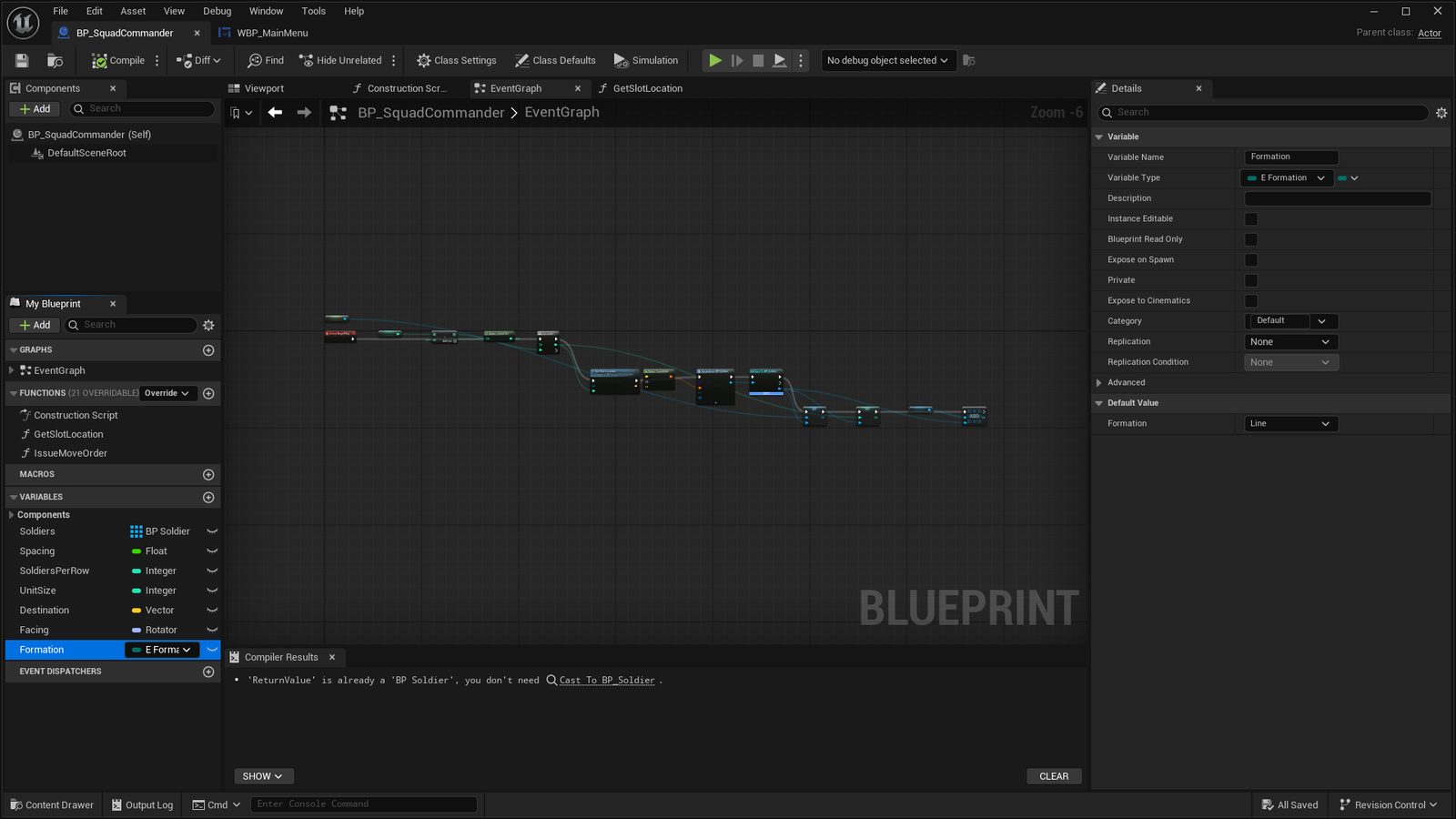
BP_SquadCommander's My Blueprint panel: the Soldiers array, Spacing, SoldiersPerRow, UnitSize, Destination, Facing and the Formation enum, with the enum's Details on the right. - Compute a slot
Add a pure function GetSlotLocation(Index) that implements the table above. Use Rotate Vector with Facing, then add Destination.
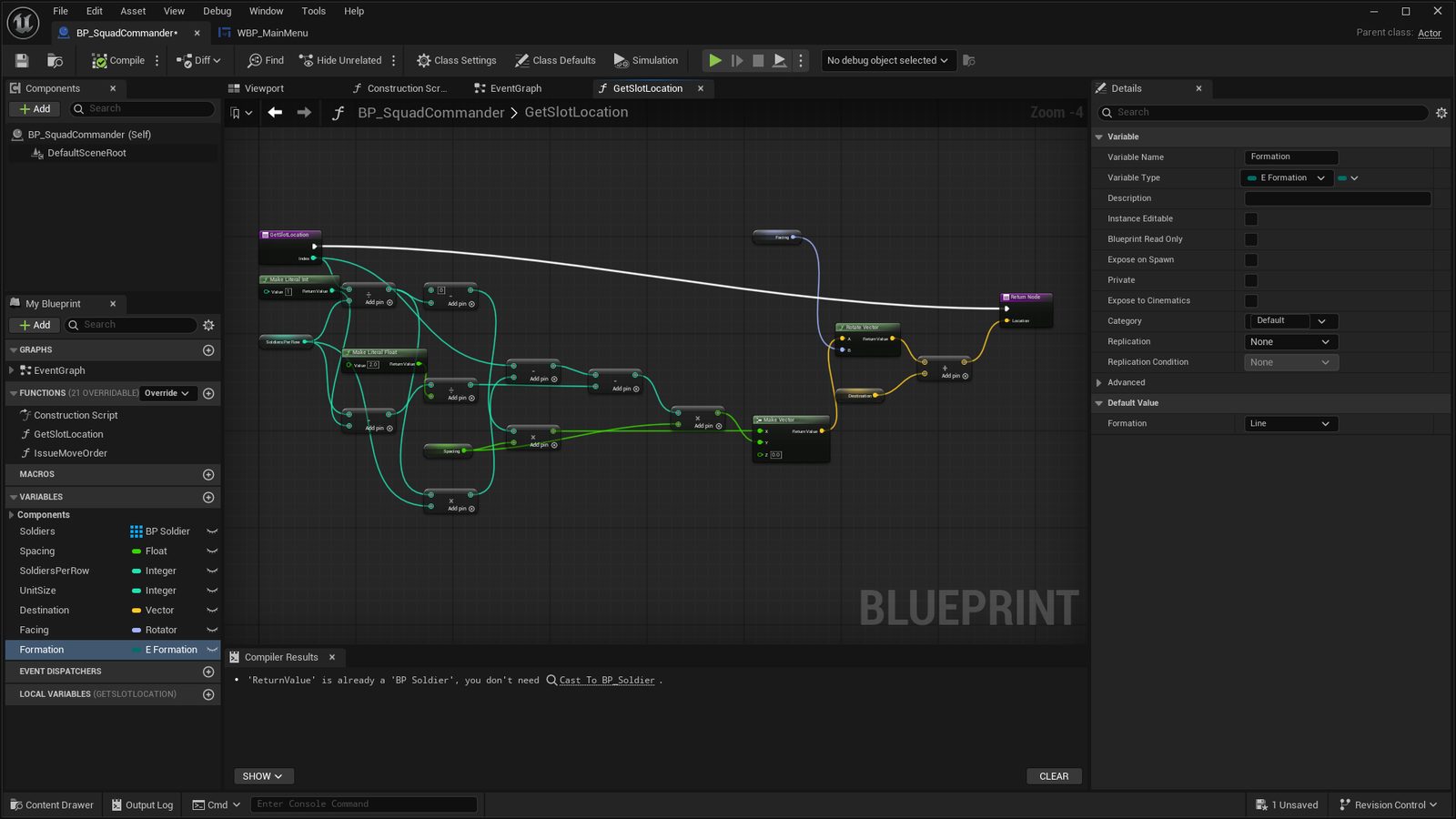
GetSlotLocation for the Line formation: row and column from Index, Make Vector for the offset, Rotate Vector by Facing, then add Destination. - Issue an order
Add a function IssueMoveOrder(NewDestination, NewFacing). Store both, then For Each Loop over Soldiers: set TargetSlot to GetSlotLocation(Index), get the soldier's AI Controller and call Move To Location with acceptance radius 50.
- Spawn the unit
On Begin Play, loop UnitSize times: Spawn Actor From Class BP_Soldier at GetSlotLocation(Index), set its Commander and SlotIndex, and add it to Soldiers.
- Right-click to move
In the player controller, on right mouse button: Get Hit Result Under Cursor By Channel, build Facing with Find Look At Rotation from the unit's center to the hit point, and call IssueMoveOrder on the selected commander. Use the Top Down template camera, or raise the Third Person camera, so you can see the whole block move.
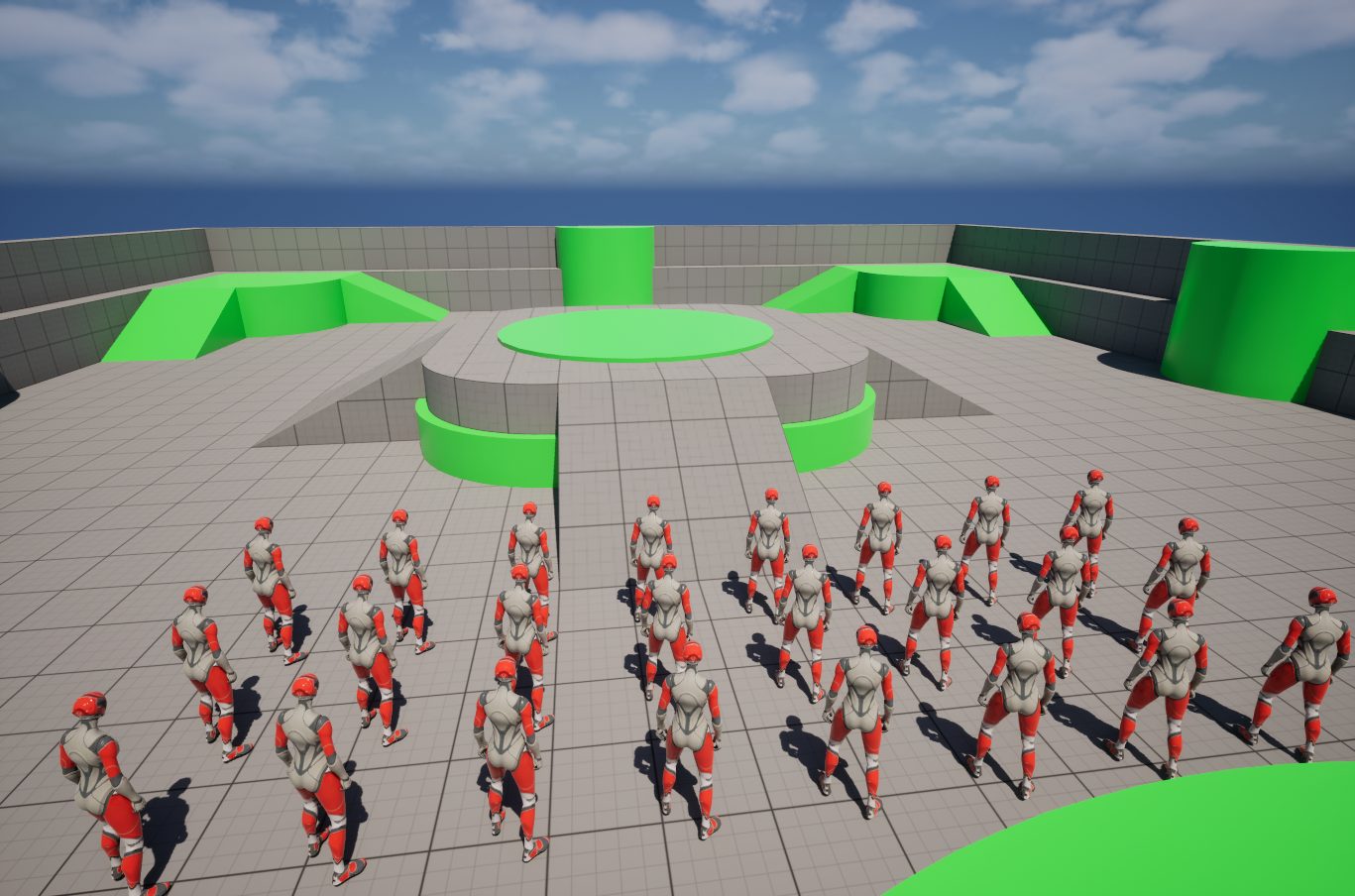
Line. 24 soldiers, three rows of eight at 150 cm spacing. 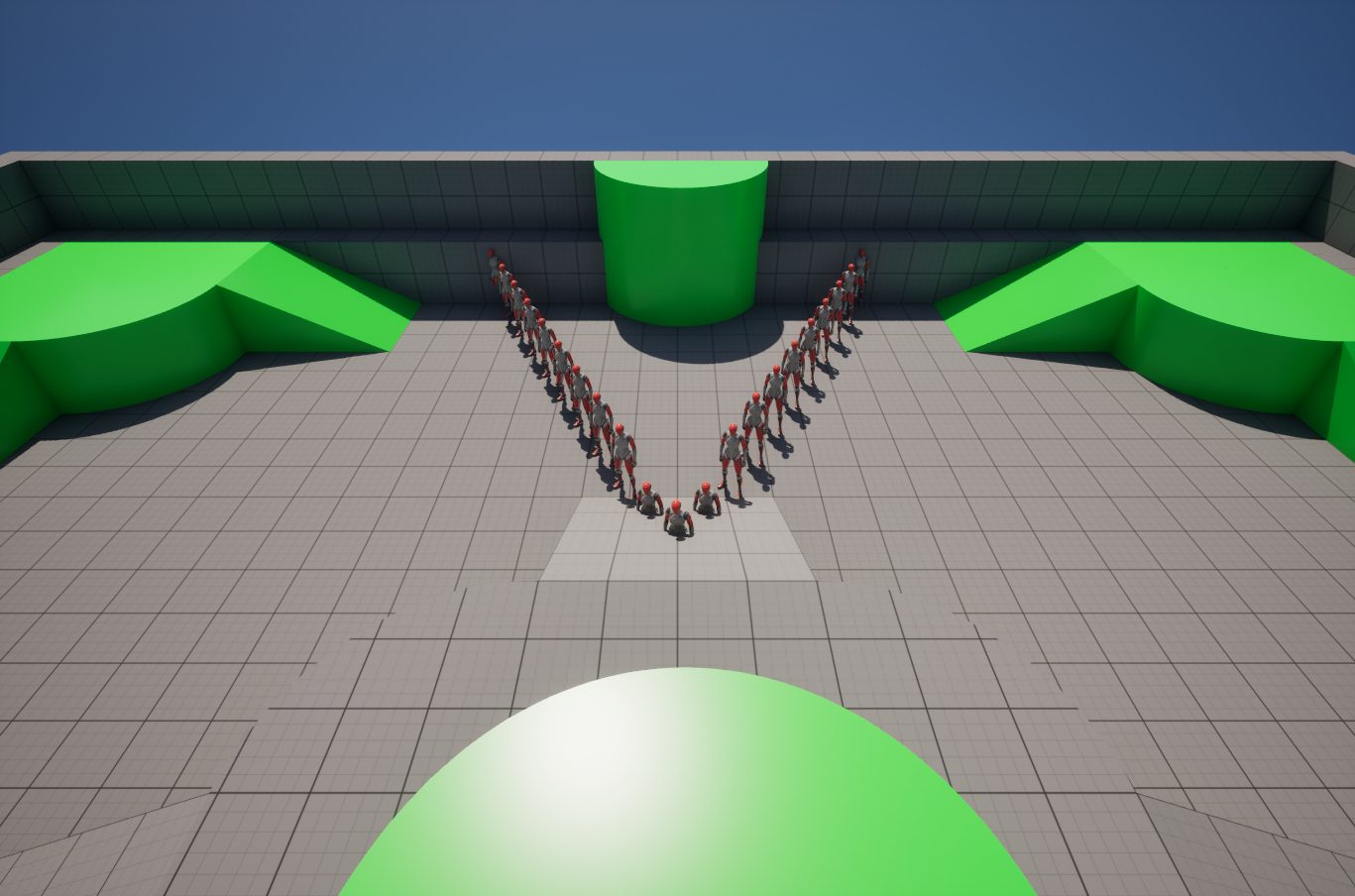
Wedge. The same unit: each pair one row back and half a spacing further out. - Give soldiers a shorter tree
BP_Soldier needs only three states: Follow Slot (Move To TargetSlot), Engage (an enemy is within 300 cm, so chase and attack it) and Return (no enemy, go back to TargetSlot). The perception setup from Tutorial 02 carries over unchanged.
- Stop the pile-up
Reparent BP_EnemyController to DetourCrowdAIController, or tick Use RVO Avoidance on the Character Movement component, so sixty soldiers do not jam a doorway.
- Give the unit a brain
Add a second State Tree on the commander actor: Hold, Advance toward the nearest enemy commander, Charge when within 800 cm, Retreat when fewer than 30 percent of Soldiers are alive. You now have unit-level and soldier-level AI from the same tool.
Full Character actors with skeletal meshes run comfortably at a few dozen per unit and a few hundred in a scene on a laptop. Past that, turn on the Animation Budget Allocator plugin and lower Animation Blueprint update rates by distance. Thousands of soldiers, as in a Total War battle, need the Mass Entity framework that drives the City Sample crowds, which is a C++ topic. Aim for 50 to 200 soldiers, which already reads as Total War from a tactical camera.
- Right-click on the ground and a block of 24 soldiers walks there and faces the direction you clicked.
- Change Formation to Wedge, re-issue the order, and the shape changes.
- Walk a red enemy into the block and the nearest soldiers break off, fight, and return to their slots.
Read next
- Mass Entity — the crowd framework, for when a few hundred is not enough
- Navigation System