- Give an AI Controller sight and hearing and read the events they fire.
- Build a State Tree with five states and the transitions between them.
- Debug AI with the Gameplay Debugger instead of guessing.
- Name four cheap changes that make the same enemy feel smarter.
Brief · 5 min Five states, seven events
Every state other than Attack exists to get the enemy to Attack or to keep it alive. Adding a state means adding a box, which is also exactly how you add one in the State Tree editor.
| Piece | Where it lives | Job |
|---|---|---|
| Nav Mesh Bounds Volume | The level | Marks walkable ground so Move To has a path |
| BP_EnemyController (AI Controller) | Possesses BP_Enemy | Holds perception and the State Tree component |
| AI Perception component | On the controller | Sight, Hearing and Damage senses fire events |
| State Tree asset | Content Browser, schema StateTree AI Component | States, tasks and the transitions between them |
| Environment Query System (EQS) | Optional query asset | Finds cover or a safe point for Flee |
Build · 30 min From a standing enemy to a hunting one
- Give the enemy a controller
Open BP_Enemy. Set AI Controller Class to a new blueprint BP_EnemyController and Auto Possess AI to Placed in World or Spawned.
- Add senses
In BP_EnemyController add an AIPerception component. Add a Sight sense with radius 1500, lose-sight radius 2000, peripheral angle 70, and tick Detect Neutrals, because Blueprint actors count as neutral by default. Add a Hearing sense with range 2500.
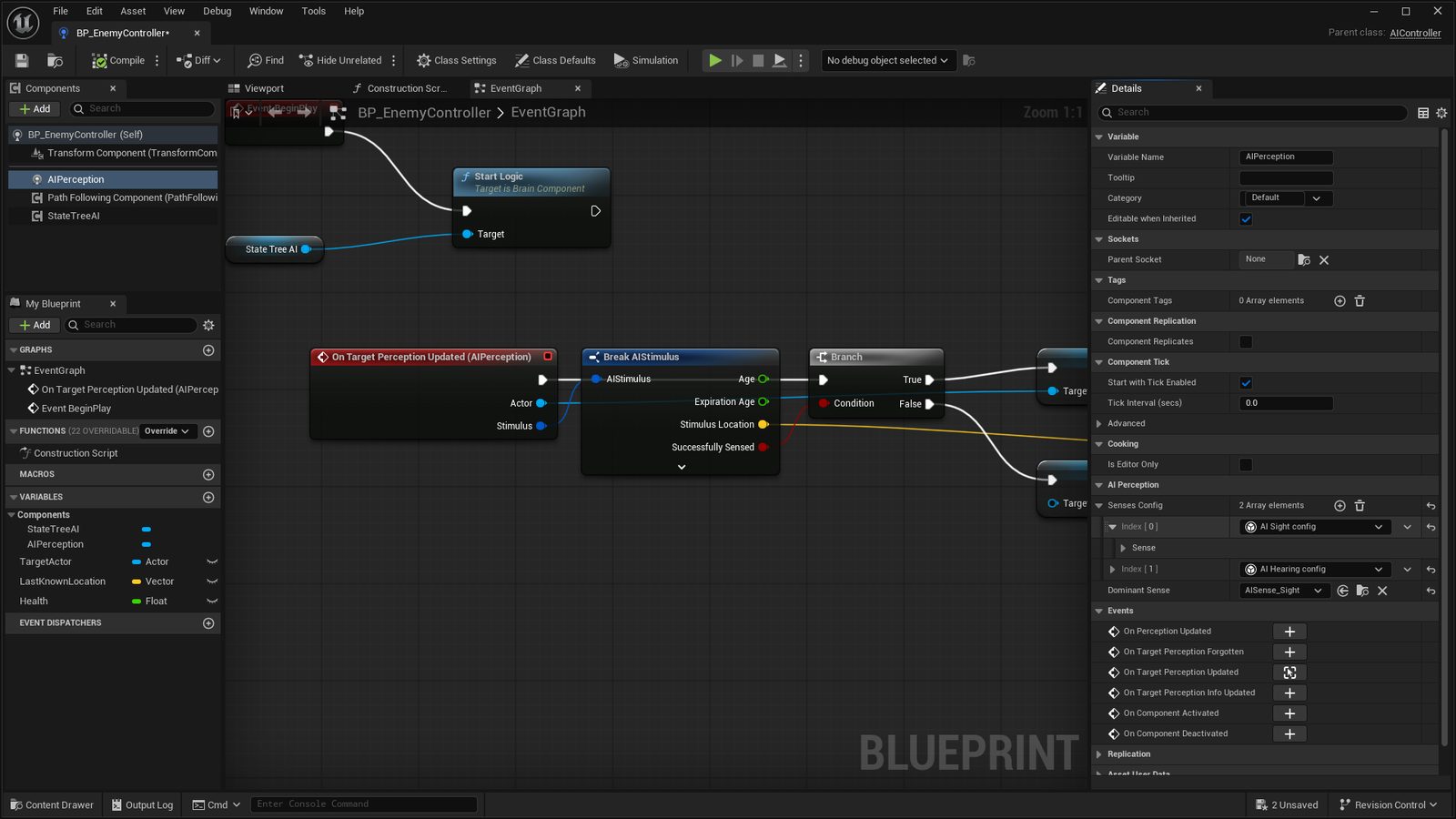
BP_EnemyController with the AIPerception component selected: Senses Config holds a Sight and a Hearing sense, and On Target Perception Updated is bound in the Events list below. - Store what it senses
On the component's On Target Perception Updated event, branch on Successfully Sensed. If true, store the actor in a TargetActor variable. If false, clear it and store the stimulus location in LastKnownLocation.
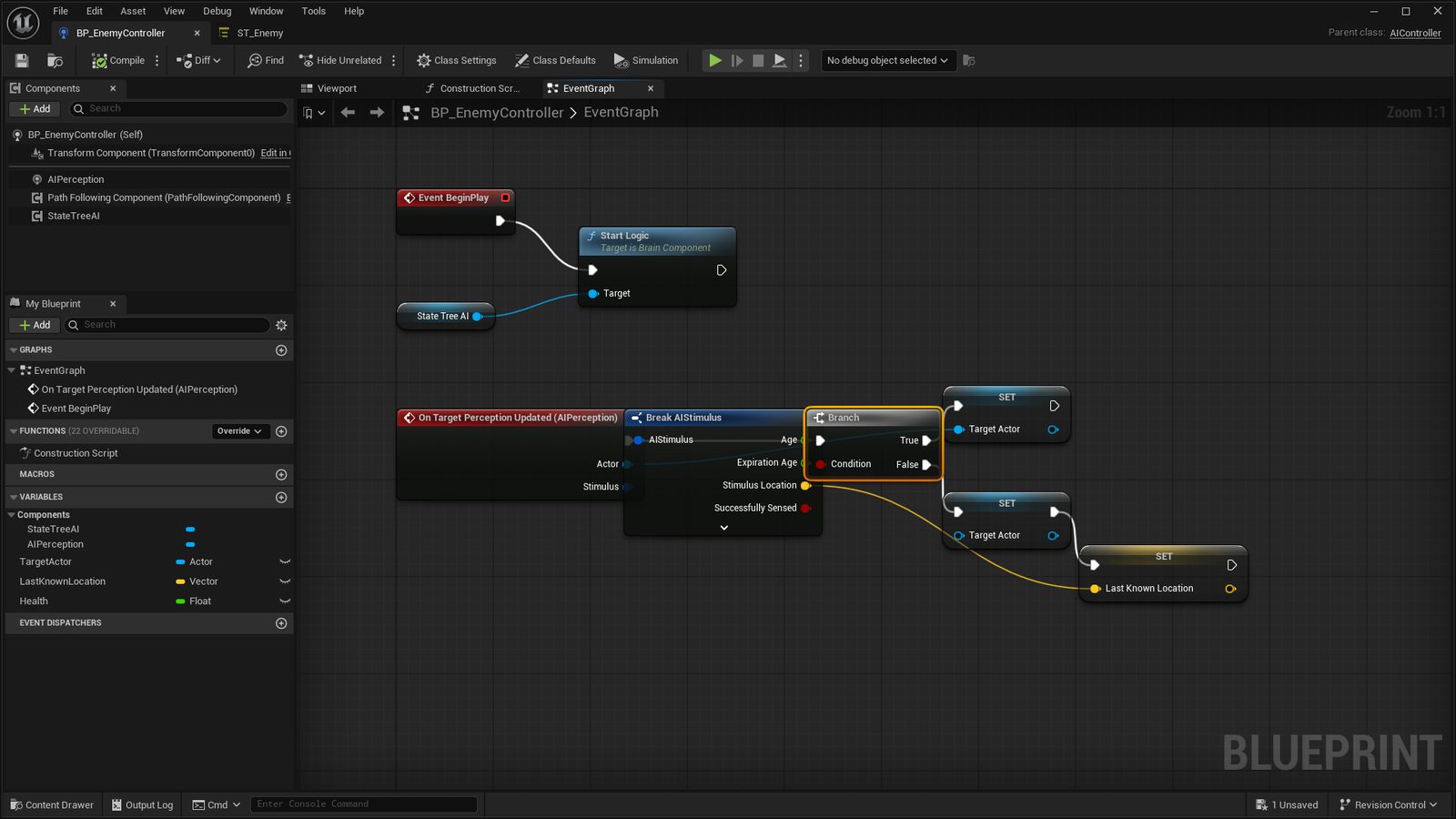
The Event Graph. Begin Play calls Start Logic on the StateTreeAI component. On Target Perception Updated breaks the stimulus and branches on Successfully Sensed into TargetActor and LastKnownLocation. - Add the State Tree
Add a StateTreeAI component to the controller and create a State Tree asset with the StateTree AI Component schema. Call Start Logic on Begin Play.
- Make the five states
Each state gets one task. Patrol: Move To with Get Random Reachable Point In Radius 1000, then Delay 2 seconds. Chase: Move To on TargetActor, acceptance radius 150. Attack: play an attack montage, Apply Damage, Delay 1 second. Investigate: Move To LastKnownLocation, Delay 5 seconds. Flee: Move To the result of an EQS query, or to an actor tagged SafeSpot.
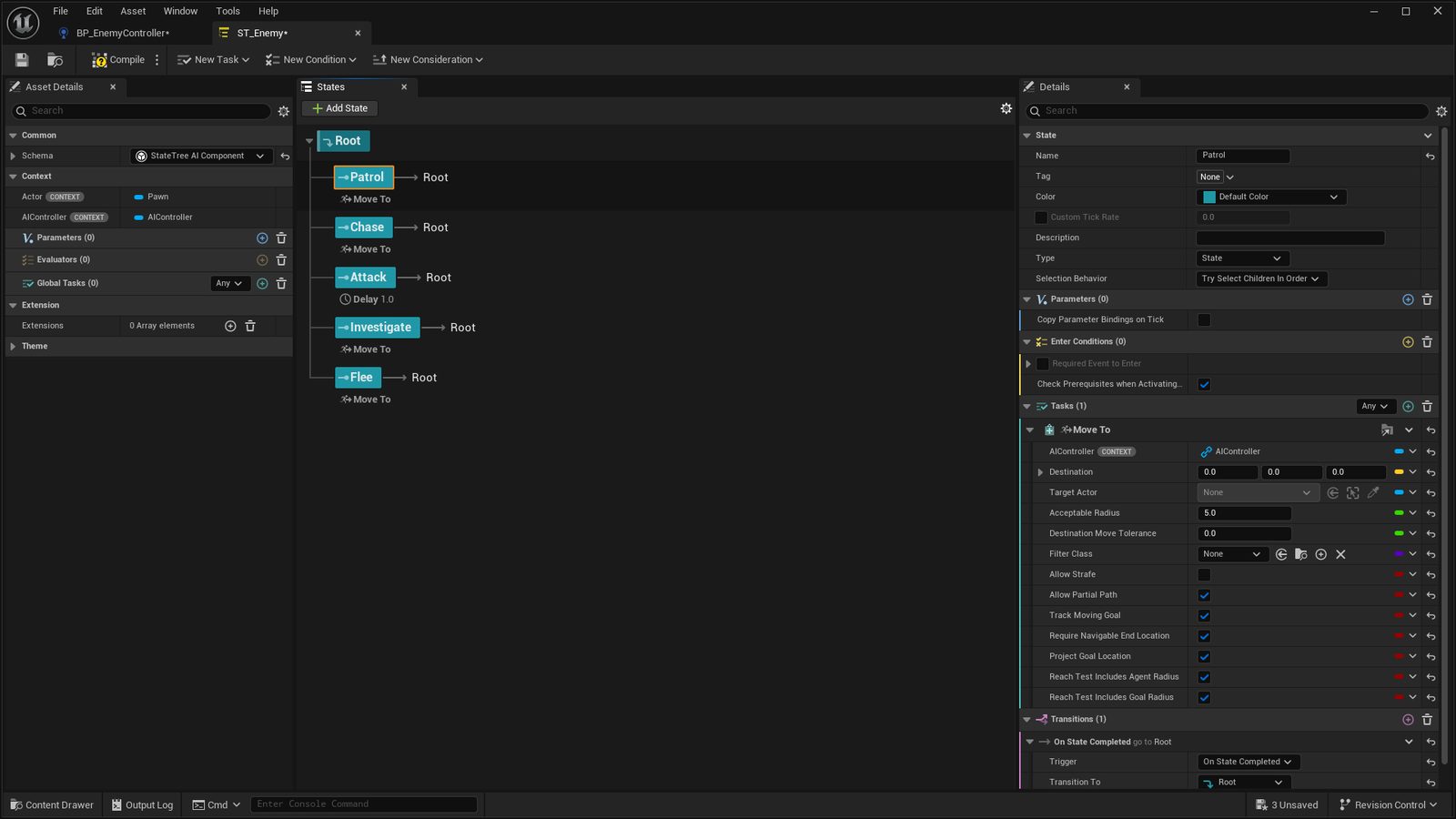
The State Tree editor with the five states expanded under Root. Each state has one task; its transitions live in the Details panel under the task. - Wire the transitions
Add transitions as conditions on each state, reading the controller's variables through property binding. TargetActor valid goes to Chase. Distance to TargetActor below 150 goes to Attack. TargetActor cleared goes to Investigate. Health below 25 percent goes to Flee. Task completion in Investigate or Flee goes back to Patrol.
- Watch it think
Press Play and hold the apostrophe key for the Gameplay Debugger. You will see the perception cones and the active state. If the enemy stands still, press P and check for green under its feet.
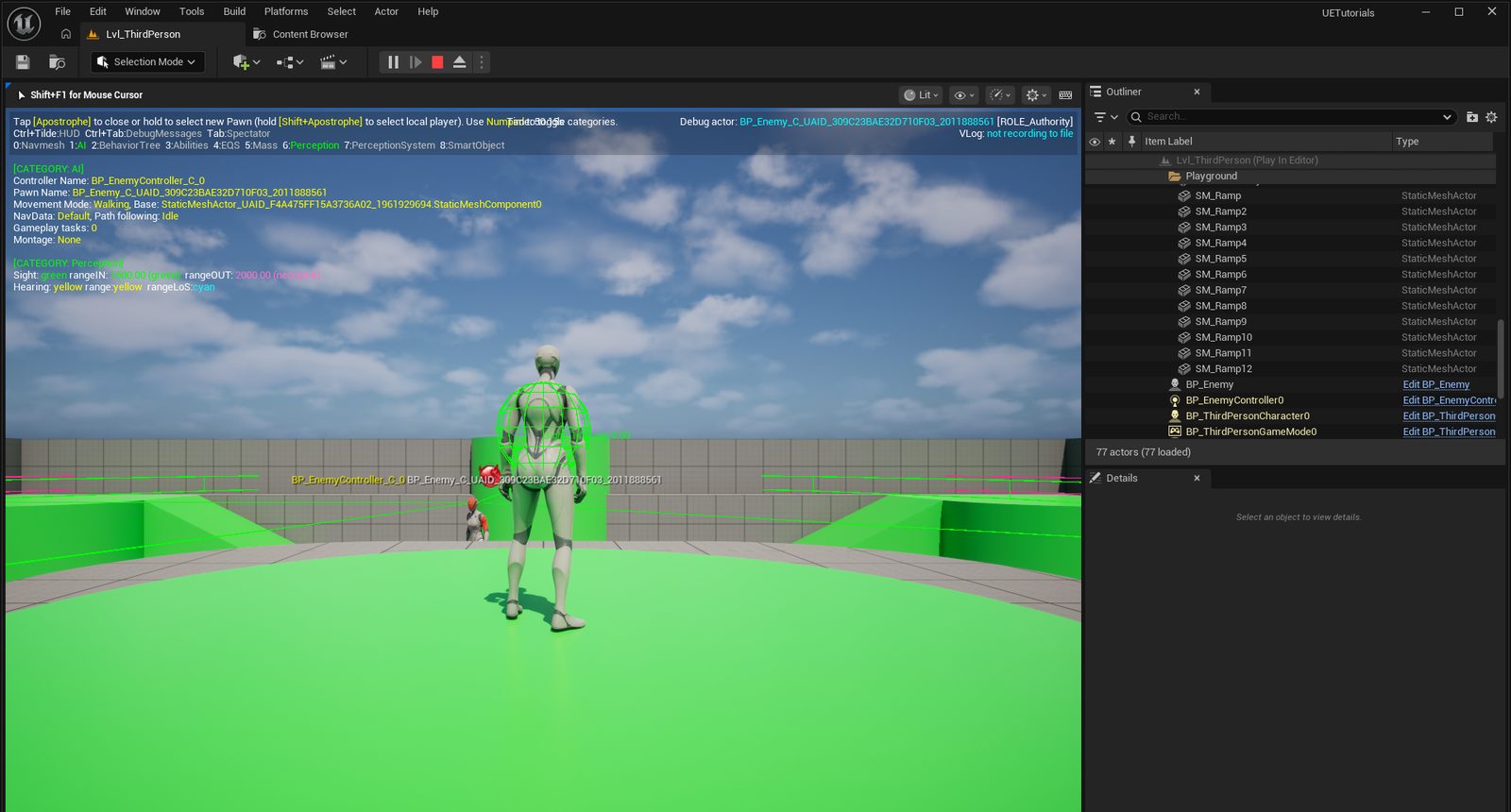
The Gameplay Debugger in Play with category 6, Perception, switched on. The debug actor is BP_Enemy, the green sphere is its sight sense, and the text lists its controller and movement state.
Build · 10 min Making it feel smart
- Call Make Noise in the player's sprint input so running draws the enemy from behind walls.
- Add the Damage sense, so hitting an enemy that cannot see you still turns it around.
- Replace the random patrol with a Spline component and move between its points.
- Give the Attack state a random cooldown between 0.8 and 1.6 seconds so a group does not swing in unison.
- Spawn three enemies. The same tree runs on each with no extra code, which is what Tutorial 03 relies on.
Behavior Trees with a Blackboard are the older tool and have far more YouTube tutorials. State Tree is Epic's current default, and the videos map one to one: a Blackboard key is a State Tree parameter, a Task is a Task, a Decorator is a transition condition. Follow either; the diagram above is the same in both.
- The enemy patrols, chases you when it sees you, and hits you when it reaches you.
- Break line of sight and it walks to where it last saw you, then gives up.
- You can open the Gameplay Debugger and say which state is active.