By the end of this tutorial you can
- Have one project that every later tutorial opens.
- Know which plugins each tutorial depends on and why they need a restart.
- Have a walkable level with a NavMesh and a visibly different enemy character.
Build · 20 min One project, six items
Do these in order. The plugin step restarts the editor, so finish it before you start placing anything.
| Item | What to do | Why |
|---|---|---|
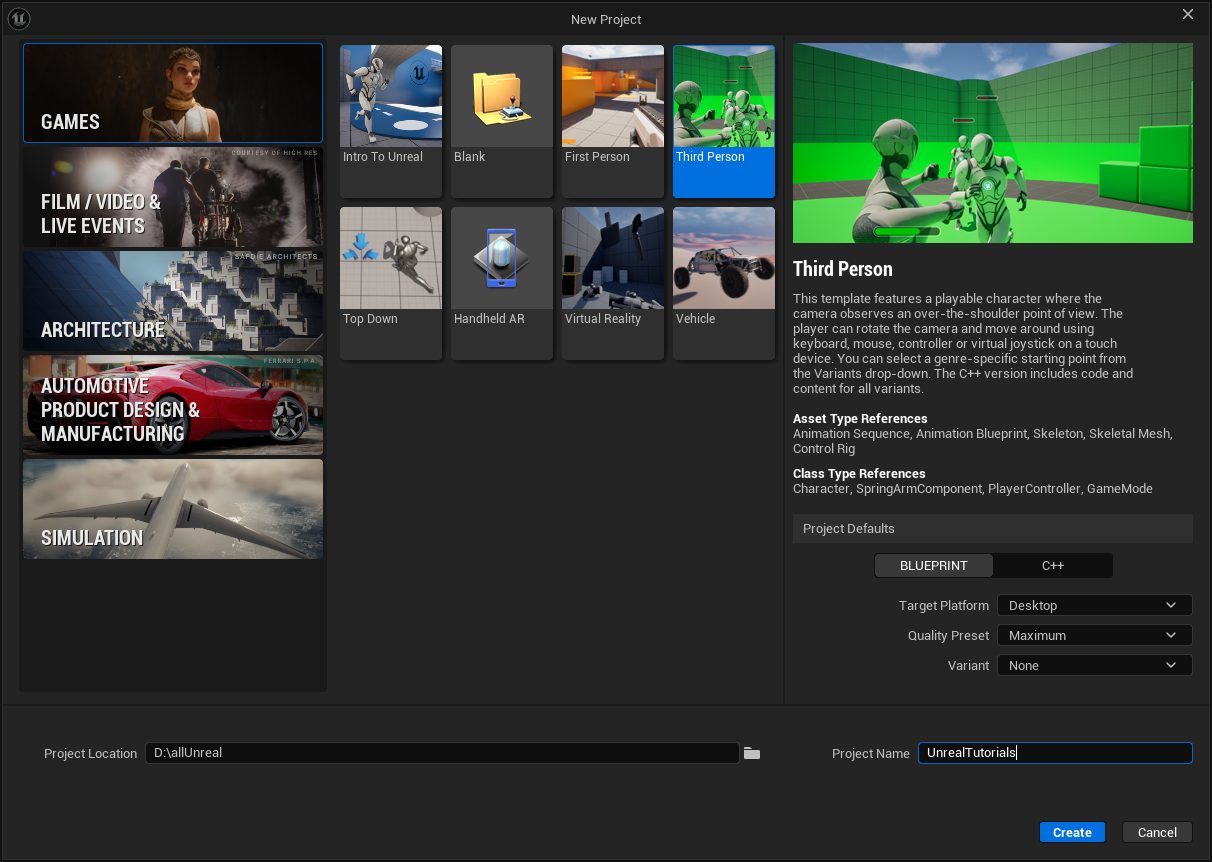
| Project | Games → Third Person → Blueprint. Name it UnrealTutorials. (5.8 has no Starter Content switch; the template's own content is all these tutorials need) | Gives you a rigged mannequin (Manny and Quinn), a playable level and an animation blueprint to copy from |
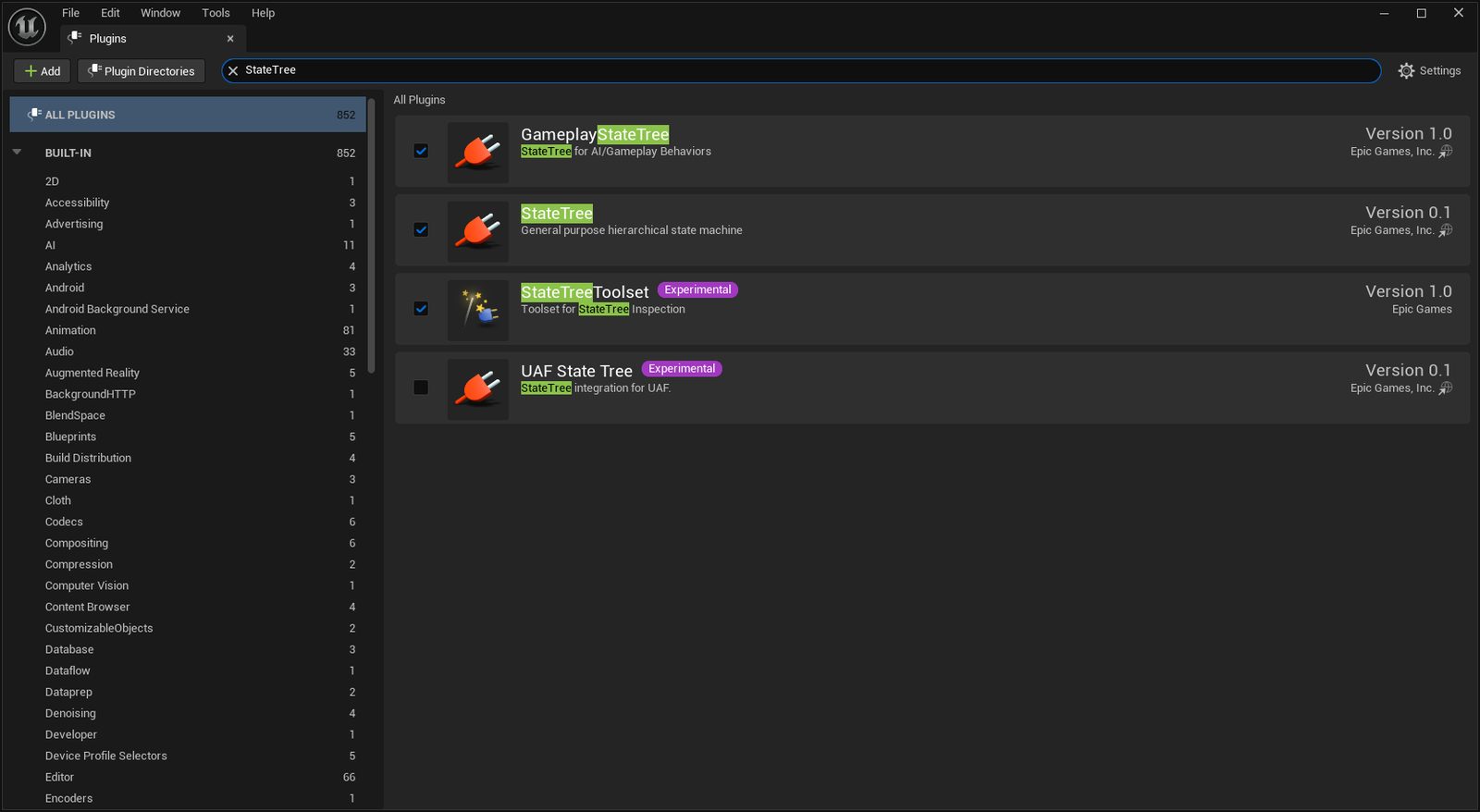
| Plugins | Edit → Plugins. Enable MetaHuman, Control Rig, IK Rig, StateTree, GameplayStateTree, Common UI, Mass Entity and Mass AI. Restart once | Each one needs an editor restart, and one restart is better than six |
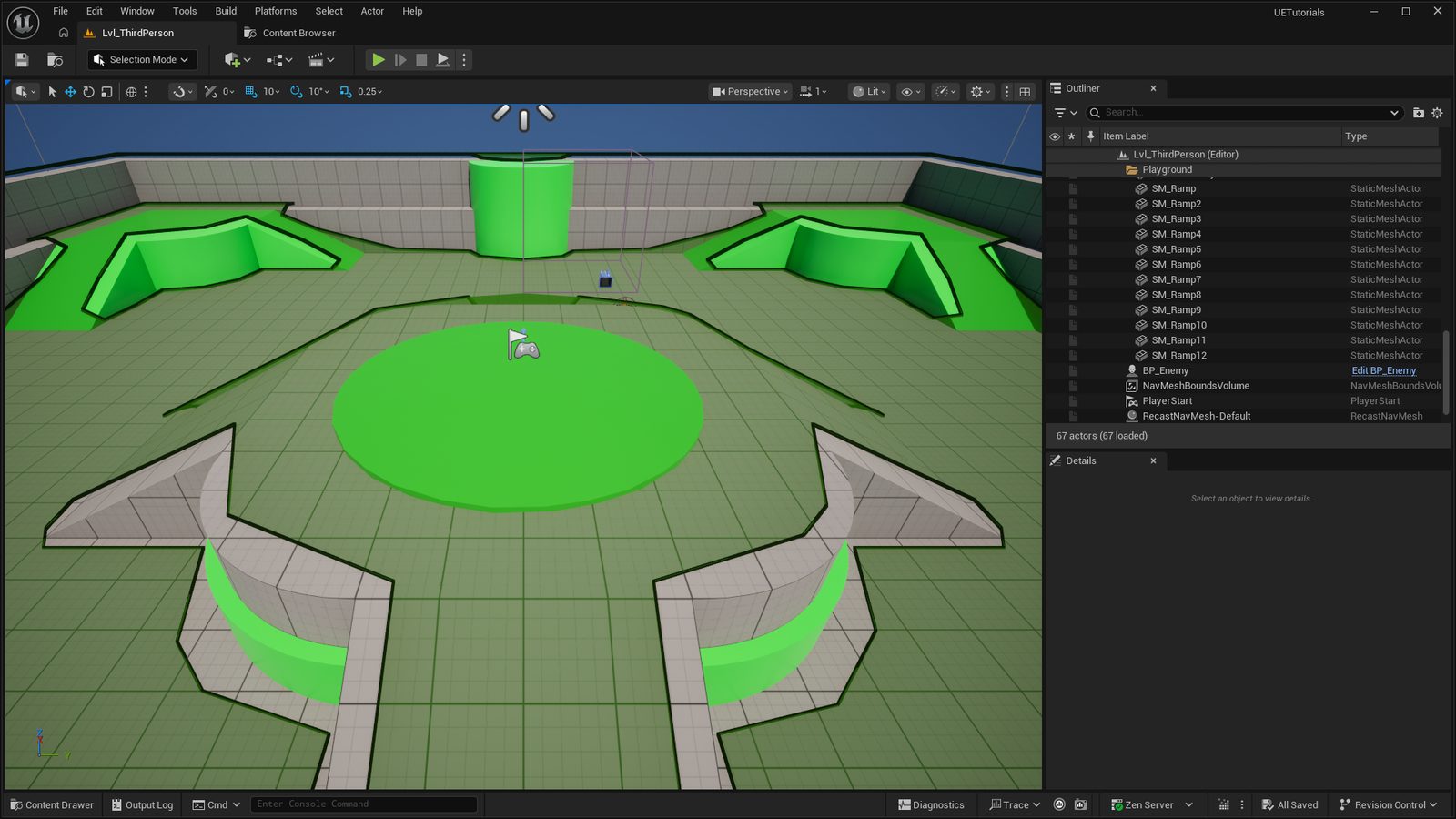
| NavMesh | Place Actors → Volumes → Nav Mesh Bounds Volume. Scale it over the whole level, press P to see the green walkable area | Every AI tutorial depends on it. No green, no Move To |
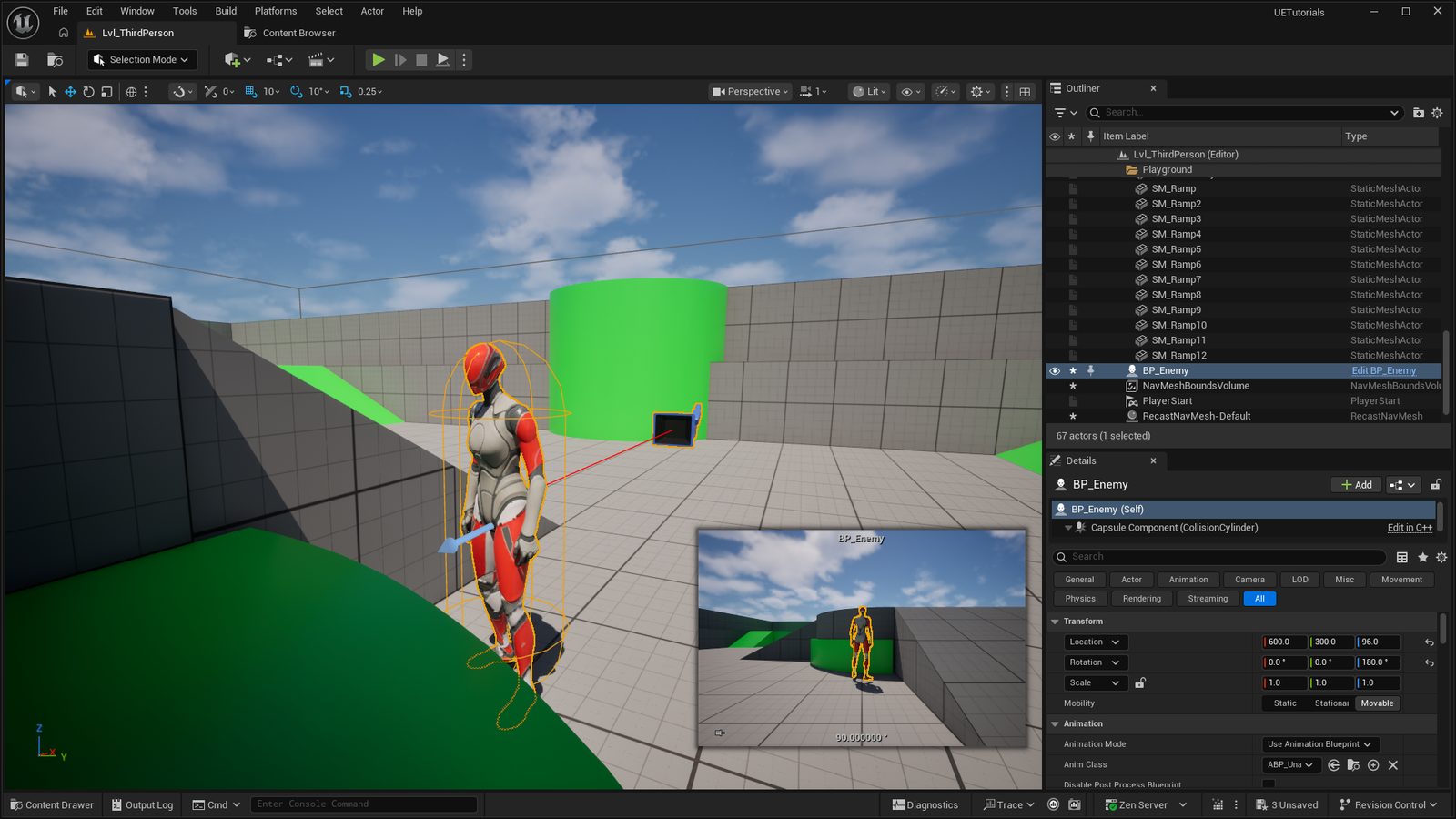
| Enemy mesh | Duplicate BP_ThirdPersonCharacter, name it BP_Enemy, give it a red material instance | A visibly different body makes the AI readable from across the room, and in your own screenshots |
| Spare content | Add the Game Animation Sample project and a free Fab soldier or zombie pack to your library | Backup assets if a download fails during a session |
| Epic account | Confirm you are signed in. In the Epic Games Launcher, under Library → your engine version → Installed Plugins, install MetaHuman Creator Core Data, then check that a new MetaHuman Character asset opens without a red warning in its viewport | MetaHuman requires an Epic login, and the Creator's presets, hair and textures are a separate download that is not part of the engine install |
Keep a clean copy
Once this project is set up, duplicate the folder and leave the copy untouched. When a tutorial goes wrong you can start that one again from a known state in thirty seconds instead of re-enabling plugins.
Before you close this
- The editor reopened with all eight plugins enabled and no missing-plugin warning.
- Pressing P in the level shows green over the floor.
- A red BP_Enemy stands in the level and plays its idle animation when you press Play.